 Acceleratis
Turn PDF Circuit Diagrams into Editable EPLAN Projects
The Acceleratis PDF to EPLAN Converter helps companies convert existing PDF circuit diagrams, legacy documentation, and scanned files into editable EPLAN projects. The solution was built specifically for retrofit, modernization, and migration projects.
See Pricing →
“We use the Acceleratis PDF to EPLAN Converter in our daily workflow. Transferring the page structure now takes only a few minutes instead of, as before, several hours. The transfer of elements and connections is also significantly faster – with a clear focus on full user control and 100% consistency. We're already looking forward to further updates and programs from Acceleratis.”
Ideal for Retrofit Specialists, Switchgear Manufacturers, Engineering Firms, Engineering Service Providers, and Operators of Existing Industrial Plants
Many companies face the challenge that existing circuit diagrams only exist as PDF documentation or scans. The original engineering data was often created with ECAD systems that are now outdated or no longer available. As a result, further processing of the project data is often no longer possible.
For conversions, modernizations, operator changes, and retrofit projects, however, this information is needed again as editable engineering data. In practice, this often means that circuit diagrams have to be manually redrawn or documentation has to be recreated at great expense.
The Acceleratis PDF to EPLAN Converter was built specifically to reduce this effort. Instead of recreating existing circuit diagrams from scratch, existing PDF documentation is analyzed in a structured way and converted into editable EPLAN projects.
Thanks to the user-guided approach, the user stays in control of the process at all times and retains control over critical assignments and engineering decisions. This makes it possible to reliably process historical documentation, inconsistent legacy files, and demanding retrofit projects.
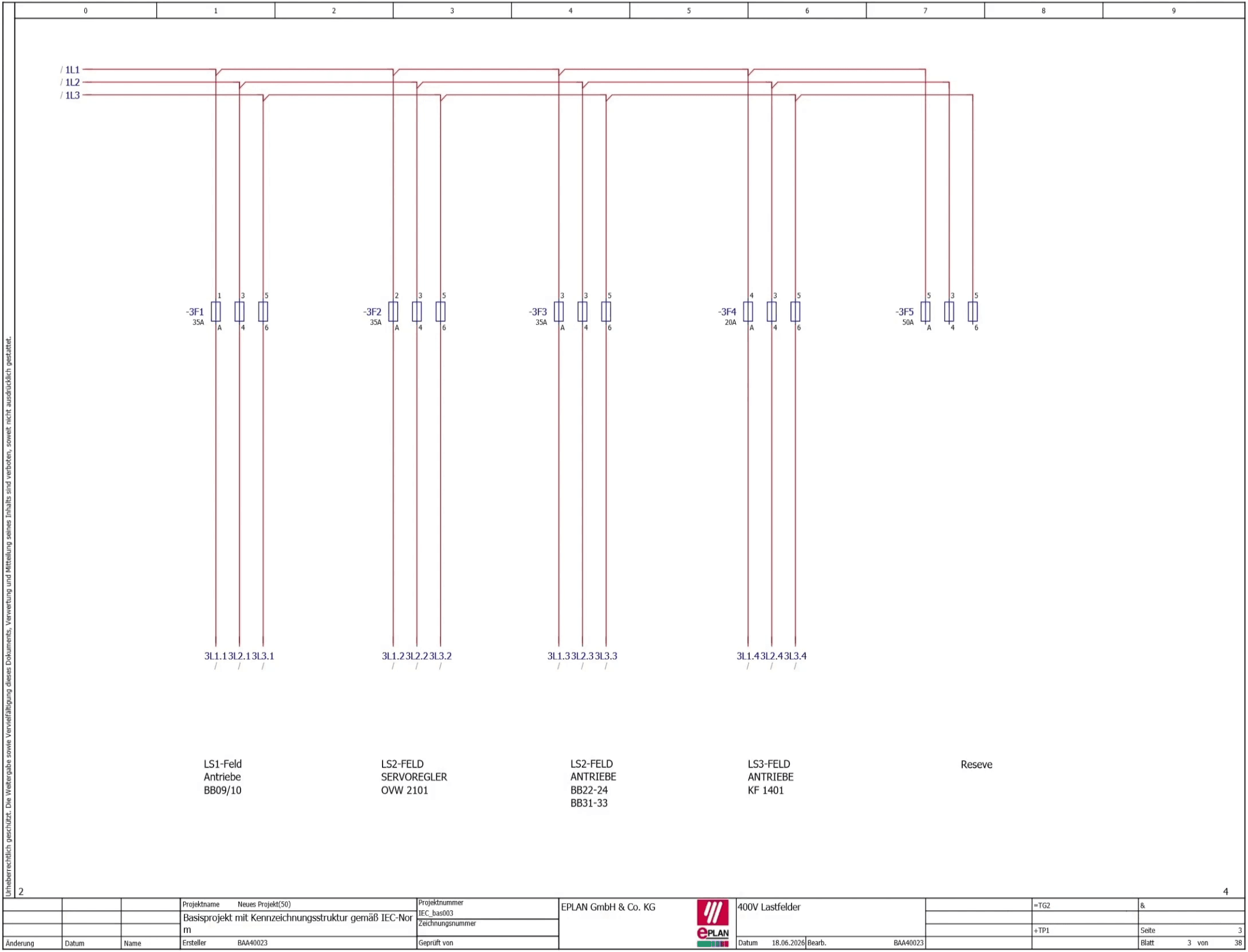
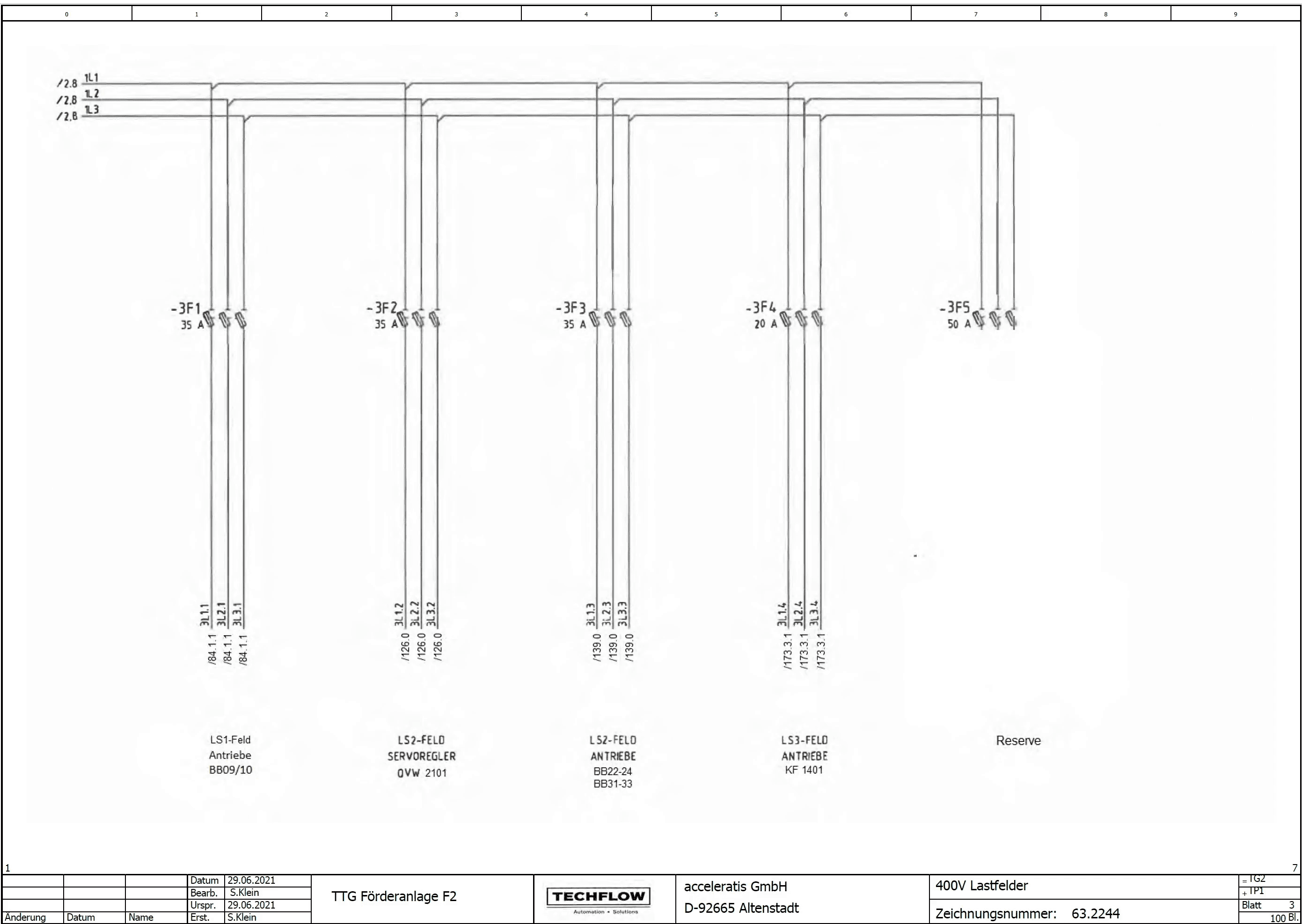
Compare the PDF Scan and the EPLAN Result Directly
Drag the slider to compare the scanned circuit diagram with the editable EPLAN project generated from it.
How the PDF to EPLAN Converter Works
Import PDF
Import existing circuit diagrams directly from PDF files.
Capture structure and metadata
Capture sheet information, plant structure, and documentation data.
Recognize elements and connections
User-guided recognition of devices, connections, and structures.
Sync to EPLAN
Transfer the data into an editable EPLAN project.
Why User-Guided AI?
Acceleratis deliberately relies on a user-guided approach. The user stays in the loop and confirms critical assignments. This makes it possible to process historical documentation, inconsistent legacy files, and poor-quality scans – cases where fully automated approaches often fail.
Human stays in the decision-making loop
Processing of historical documentation
Traceable results
Your Benefits
Up to 90% less effort
Smart user guidance and AI-assisted element mapping reduce both effort and processing time.
Direct EPLAN integration
Runs as an add-in directly inside EPLAN and uses the symbol library of the currently open project.
No manual recreation
Existing PDF documentation is processed in a structured way instead of being recreated from scratch.
Support for retrofit projects
Even historical and inconsistent legacy documentation can be processed reliably.
Processing of PDF and scanned documentation
Works with both directly generated PDFs and scanned circuit diagrams.
Engineering data instead of static documents
The result is an editable EPLAN project instead of a static PDF document.
Typical Use Cases
Retrofit
Machine modernization
Plant conversion
Documentation migration
Engineering data preparation
Operator change
Early Adopter License Prices
Save up to 80% of engineering time when transferring PDF circuit diagrams to EPLAN.
Super Early Adopter
+ €2.50 per imported PDF page
- EPLAN Add-in
- Updates
- Support
- Direct influence on product development
- Priority access to new features
Starter
+ €2.50 per imported PDF page
- EPLAN Add-in
- Updates
- Support
Professional
+ €1.00 per imported PDF page
More cost-effective than Starter from approx. 47 imported pages per month.
- EPLAN Add-in
- Updates
- Support
Requirements
- EPLAN Electric P8
- EPLAN Runtime API
- Minimum contract term: 12 months
The EPLAN Runtime API is not part of the Acceleratis offering and must be provided by the customer.
Enterprise
Importing several hundred pages per month? Contact us for individual enterprise terms and volume packages.
Sample Calculation
Actual time savings depend on the quality, structure, and complexity of the source documents.
Transfer PDF Circuit Diagrams to EPLAN Efficiently, Accurately, and Much Faster
Instead of manually redrawing circuit diagrams, the Acceleratis PDF to EPLAN Converter converts existing PDF documentation and scans into editable EPLAN projects. The user-guided workflow combines high efficiency with technical control, delivering traceable, reliable results – even for complex existing plants and retrofit projects.
Or reach out directly by email: info@acceleratis.com